Verified price .com domains $14.99/yr — renews at $18.99. Plus a $0.18 ICANN fee per domain per year.

Website Security

Stop the attack before it lands

A web application firewall filters malicious traffic at the edge, daily scans catch anything that slips past, and automatic removal cleans it up — built for people who do not want to become security experts.

Plans from $5.99/month — the price for every tier is printed below, renewals included.

A small business owner standing calmly beside a floating security dashboard panel showing a clean status row, a blocked-threat counter and a green all-clear indicator, with a rounded shield badge clipped to the panel's top corner
  • Firewall and Daily ScanningMalware caught before it reaches your site.
  • Backups on the top two tiers25–200 GB of secure backup, or add Website Backup separately.
  • Continuous ProtectionThreats flagged and blocked around the clock.
  • 24/7 Expert SupportReal people, ready to help whenever you need us.

Three tiers

Priced per site, per month

Each tier covers one website. Higher tiers add more thorough monitoring and faster response.

Standard

Essential protection for one site.

$5.99 / month, per site
  • Protects one website
  • Web application firewall
  • SSL certificate included through the firewall
  • Malware scanning
  • Annual site cleanup and remediation

Premium

The highest level of cover.

$26.99 / month, per site
  • Protects one website
  • Web application firewall
  • SSL certificate included through the firewall
  • Malware scanning
  • Unlimited site cleanups
  • DDoS protection
  • Content Delivery Network performance boost
  • Prioritized cleanup and repair
  • 200 GB of secure backup storage

Each button above continues to our storefront to complete the purchase. Pricing excludes applicable taxes and ICANN fees. Prices shown are first-term prices; the renewal price is shown on each plan before you pay.

What you get

Five things running on your site, every day.

You do not have to configure any of it. It is switched on when the plan is, and it keeps running whether you log in or not.

Blocks the automated scans

Every exposed site is probed constantly. The firewall filters that traffic before it reaches your files.

Scans every single day

Files and database checked daily, so an infection is found in hours rather than by an embarrassed customer.

Removes what it finds

Detected malware is quarantined automatically. Higher tiers include unlimited removal and hack repair.

Keeps a clear log

See what was blocked, when and from where — genuinely useful when working out what happened.

Protects your rankings

Search engines delist compromised sites quickly. Staying clean keeps you visible.

In plain English

A firewall and a scan are two different jobs.

Most security products bundle these together and describe them in one sentence. They are separate mechanisms doing separate things, and knowing which is which is the difference between understanding what you bought and hoping it works.

The firewall sits in front of your site

Every request that arrives — a visitor, a bot, an automated probe, an attack — is inspected before it reaches your web server. Traffic matching a known-bad pattern is turned away there, so the request never touches your files. This is the part that works instantly and continuously, because it is a filter rather than a search.

The scan looks inside your site

Scanning is a different job: reading your files and database and comparing them against known malicious code. It is heavier work, so it runs on a schedule rather than on every request — which is why the plan says daily rather than real time, and that wording is deliberate rather than a hedge.

Why both matter, in that order

The firewall stops the traffic that causes most trouble. The scan exists for what a filter cannot see: a file that was already compromised before you bought anything, or something planted by a route the firewall was not yet aware of. On its own, either one leaves a gap.

What happens when something is found

The file or database entry is quarantined so it cannot execute, then removed. Every tier keeps a log of what was found, blocked and when — which is the single most useful thing to have if you ever need to work out how a site was entered.

What none of this covers

It protects your website. It is not antivirus for your own computer, and it does not secure your email account. On backups it depends on the tier: Standard is not a backup, while Advanced and Premium carry 25 GB and 200 GB of secure backup storage — and Website Backup exists as its own product when you need more. Those are three different problems with three different answers, and mixing them up is how people end up surprised.

Both run on every tier. The catalogued features are an edge firewall, daily scanning and automatic quarantine with removal.


What the three security plans include.

Standard covers the basics. Advanced is the one that adds DDoS protection, a CDN and secure backup — which is what most people are actually buying when they move up.

Website Security — every feature the storefront lists for each tier
Feature Standard Advanced Premium
Protects one website ✓ ✓
Firewall prevents hackers ✓ ✓
SSL certificate included in firewall ✓ ✓
Malware scanning ✓ ✓
Site cleanup and remediation Annual Unlimited
DDoS protection, and Content Delivery Network (CDN) speed boost – ✓
Secure backup – 200 GB
Prioritized cleanup and repair – ✓
Per month $5.99 $26.99

All eight rows are the storefront's own bullets for that tier, listed without merging or shortening — check any of them against the product page. Standard's cleanup is annual; the two tiers above it are unlimited, which is the single biggest difference between them. The figures are the monthly prices. Pricing excludes applicable taxes and ICANN fees. Prices shown are first-term prices; the renewal price is shown on each plan before you pay.

The dashboard

Every blocked attempt, on the record.

You never have to watch it — it runs whether you log in or not. But when you do look, the whole picture is one screen.

  • What was blocked, when and from whereThe log keeps every filtered request and every scan result, so working out what happened starts from evidence rather than guesswork.
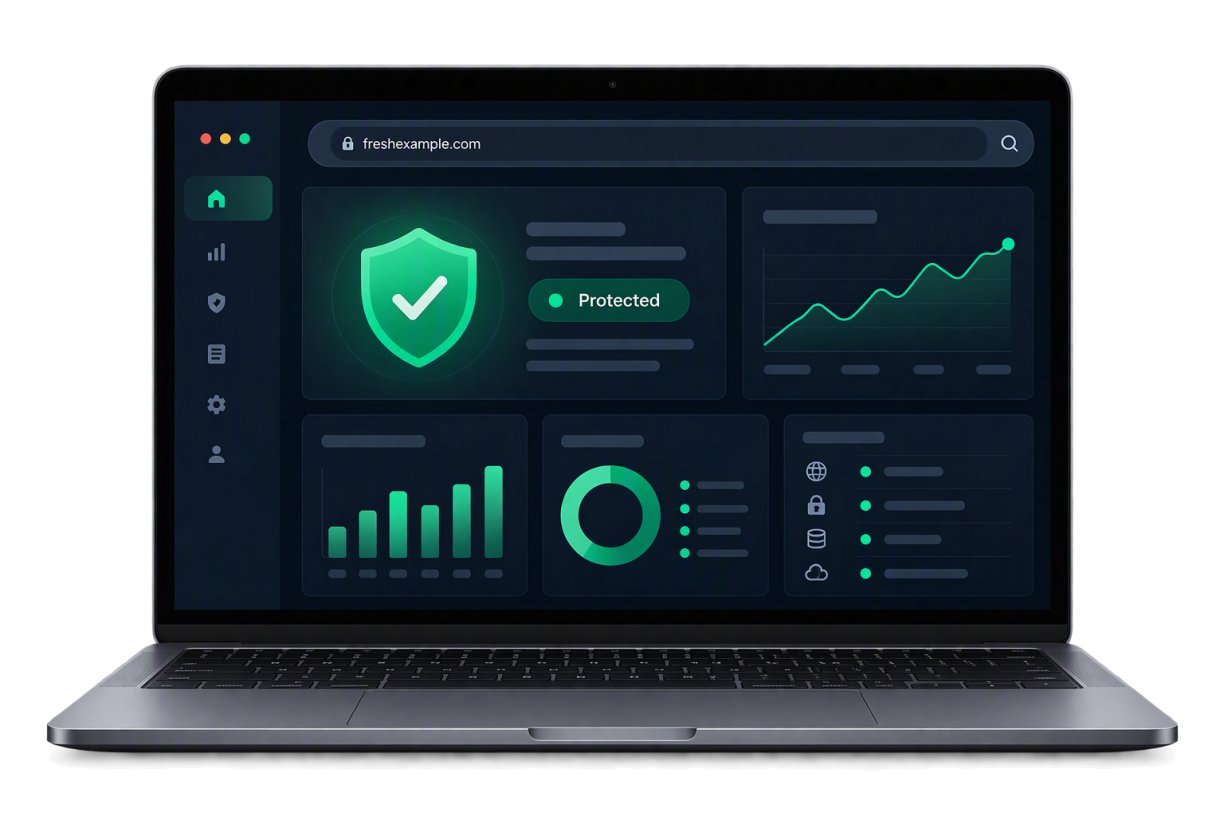
  • A status you can read at a glanceProtected means the firewall is filtering and the daily scan is clean. Anything that needs you is surfaced, not buried in a menu.
  • Nothing to configure to stay coveredFiltering and scanning switch on with the plan and keep running. The dashboard is for looking, not for housekeeping.
A laptop showing the security dashboard: a shield marked protected, a request chart over time, and a list of the checks that passed

If something does get through

What happens after an attack

This is the sequence after a detection — it runs whether or not you are awake, and it is the same on every tier.

The find is quarantined

The affected file or database entry is isolated first, so it stops executing. Nothing is deleted before it can be looked at.

You are told what was found

A notification goes out with what was detected and where. You do not have to be watching the dashboard for it to be noticed.

The damage is repaired

Once removed, the site is checked to confirm it loads and works. Higher tiers include unlimited removal and repair for as long as the plan is active.

The log keeps the record

What was blocked, what was found and the timestamps stay in the log — the first thing anyone asks for when working out how the site was entered.

Good to Know:

What is in a plan — and what is not Backup storage starts at the Advanced tier (25 GB, rising to 200 GB on Premium); the Standard tier is not a backup at all. If you need more space, or backups without a security plan, Website Backup is a separate product. And this is not antivirus for your own computer, nor protection for your email account — it protects the website and nothing else.

The awkward questions

What people want to know before they trust it.

Including the one about a firewall breaking your contact form, which does occasionally happen and is worth understanding up front.

Does a firewall slow my site down?
No. Filtering happens before requests reach your site, so the work is done upstream rather than on your hosting.
Could it break my forms or plugins?
Occasionally a security layer is strict about unusual form submissions. If something stops working, contact us and we will tune the rules for your site.
How quickly is new malware detected?
Scans run daily and signature databases update continuously. Widespread threats are typically covered within hours of being identified.
Is removal really unlimited?
On the higher tiers, yes — including repairing the damage an intrusion caused, for as long as the plan stays active.

Been hacked before?

You are exactly who this is for.

Most security customers sign up after their first incident. Tell us what happened and we will make sure the same route in gets closed.

A member of our customer care team.
Call us, 24/7 (480) 624-2500

Sales and technical support, day or night — the number is answered around the clock.